1. Overview
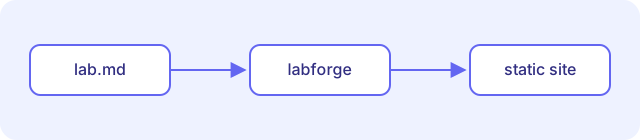
In this lab you will learn how to write a labforge lab and turn it into a static website.
What you will learn:
- How a lab file is structured
- How steps and durations work
- How to build and preview your labs
2. Write the frontmatter
Each lab starts with a YAML frontmatter block:
---
id: my-first-lab
title: My first lab
summary: A short description shown in the catalog.
authors: [Jane Doe]
tags: [beginner]
---
The id becomes the folder name of the lab in the output directory.
3. Add steps
Every ## heading starts a new step. Put a Duration: mm:ss line right below it to set the estimated time:
## Create a cluster
Duration: 5:00

Run the following command...| Element | Meaning |
|---|---|
## Title |
Starts a new step |
Duration: … |
Estimated time for the step |
4. Build and preview
Build the site:
npx labforge build labs -o distOr start the dev server with live reload:
npx labforge serve labsThen open http://localhost:4000.
5. Congratulations
You have written your first lab. Use the arrow keys ← and → to move between steps.